Khmer Revision
Your Khmer course turns into a deck of cards that makes you speak. You import your document, you revise out loud, the app listens and scores you.
Why this app exists
A Khmer lesson always ends the same way: a Word document, a list of words, your own transliteration scribbled next to them. Between two lessons, that document sleeps. You read it again, you think you know it, and in front of the market seller nothing comes out.
Khmer adds three difficulties of its own: a script you cannot decipher yet, words written with no spaces between them, and a pronunciation no text can carry. Khmer Revision solves exactly those three points — and nothing else. You speak, it listens, it explains.
✨ What you get from the first minute
- Your course becomes a deck in a minute. Drop in your teacher's document: the app picks up every vocabulary entry and builds the cards for you.
- You finally hear the real pronunciation. A Khmer voice reads the whole card, and each word on its own.
- The mic scores you. You say it, the app compares what it heard to the expected Khmer and shows a percentage. One second and you know whether it landed.
- Every sentence is broken down word by word in Khmer and English. Khmer is written without spaces: that breakdown is what unlocks reading.
- Your transliteration stays the reference. The one from your course shows up large (“You:”), the standard phonetics right below. You revise with your own landmarks.
- Your space is yours. Your deck, your recordings, your progress: nothing is shared with the other accounts.
How it goes, step by step
Five steps. Import time included, you are revising within two minutes.
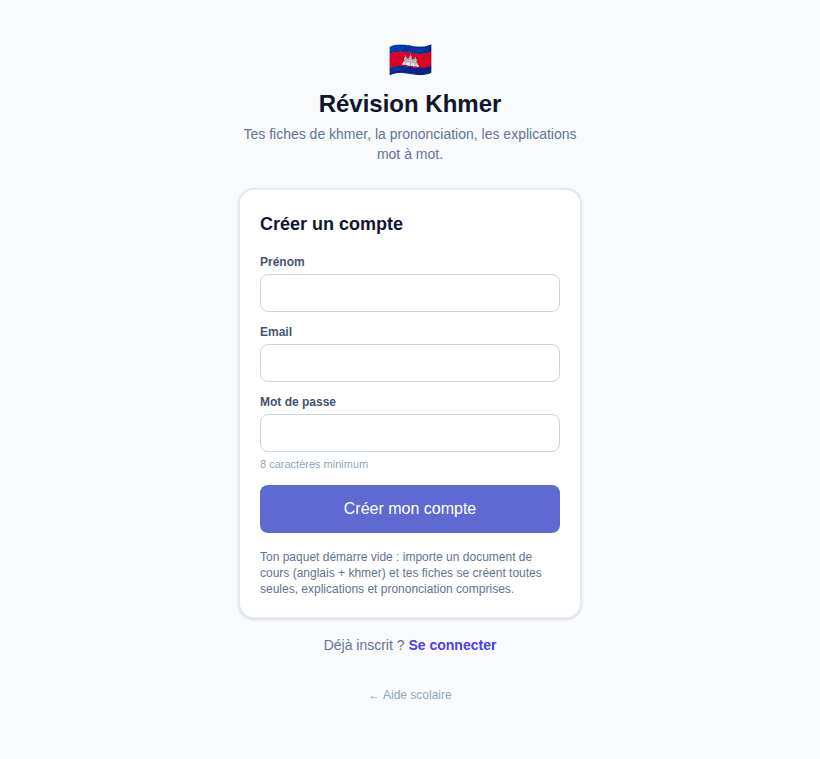
1You create your account
First name, email, an 8-character password, and the app language (English or French, switchable later in ⚙️ Settings). Nothing else to confirm, no invitation to wait for. You stay signed in for 30 days.
2Your deck starts empty — on purpose
You are not inheriting somebody else's vocabulary. You start from your course, with your transliteration, at the level you are actually at. The screen invites you to import straight away.
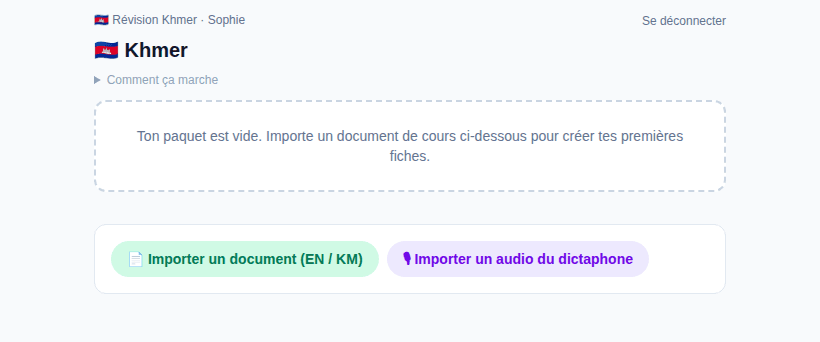
3You import your course document
A .docx, .txt, .md or .csv file. The app reads it, picks up every English / Khmer pair, and for each one: keeps the Khmer script if it is there, rebuilds it if it is not, keeps your transliteration untouched and adds standard phonetics.
It only adds what you do not already have and tells you how many cards are new. Importing the same document twice duplicates nothing. Right after, the word-by-word breakdowns are generated.

4You revise by speaking, not by rereading
The card shows you the English. Your job is to say the sentence in Khmer. You press 🎤 Say it, you speak, and the score lands: 🎉 Excellent above 80%, 👍 Almost above 50%, 🔁 Try again below. What the app heard is shown in Khmer — you see exactly where it went off.
When a card accepts several forms (អ្នក / បង / អូន), a “3 possible words” badge warns you: you can say just one, or chain them all, both count as right.
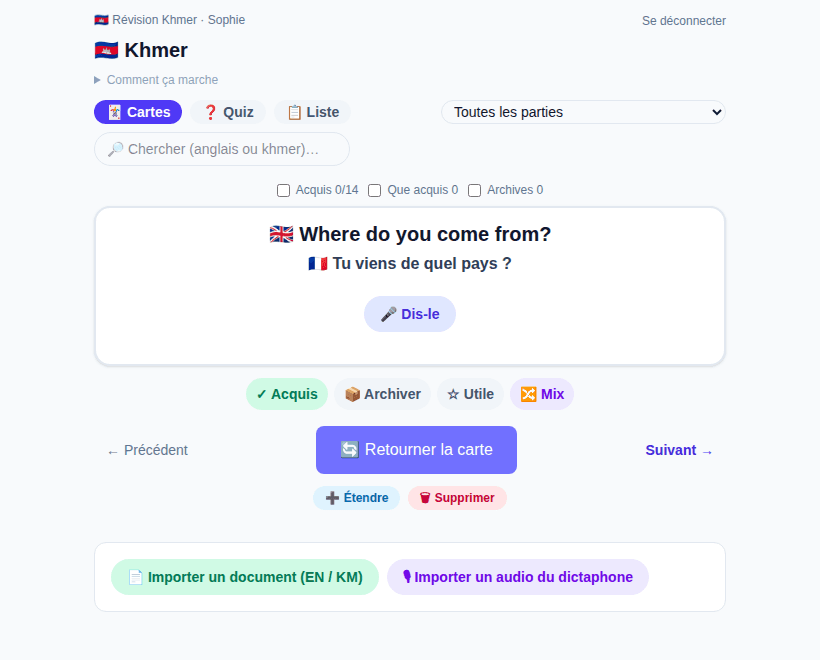
5You flip the card and check
The back gives everything at once:
- Your transliteration in large type, the one from your course.
- The standard phonetics right below, to cross-check.
- The word-by-word breakdown: every Khmer word with its English meaning, and a 🔊 to hear it alone.
- 🔊 Pronunciation: the whole card read by a Khmer voice, slightly slowed down.
- The full Khmer script at the bottom, discreet, so you tame it little by little.
The mic stays available on the back: you listen again, you retry immediately.
Three ways to work the same deck
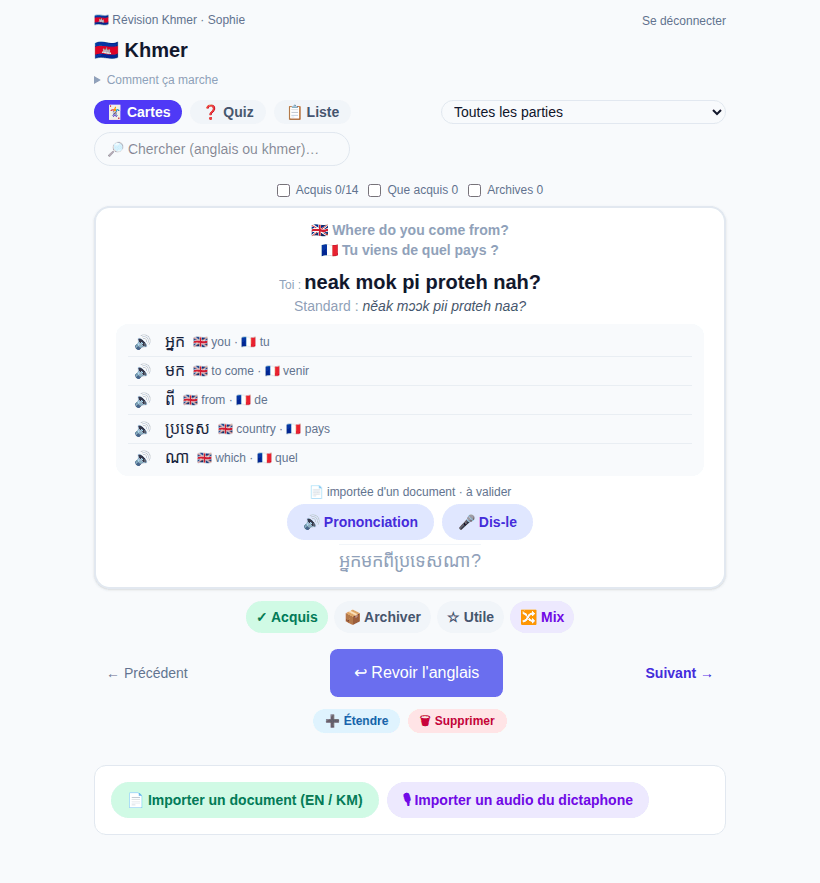
Three tabs, one deck. You move from one to the other depending on the energy of the moment.
- 🃏 Cards — active revision, the one that makes you talk. This is the main mode.
- 🔁 Reverse — the exercise the other way round, and the hardest one: all you get is the sound. A long sentence plays, at the real speed of a Cambodian; you say it back in English into the mic, then you show the answer. 🐢 slows it down if it goes too fast. The corpus grows by 10 sentences a day, built from all the vocabulary already seen.
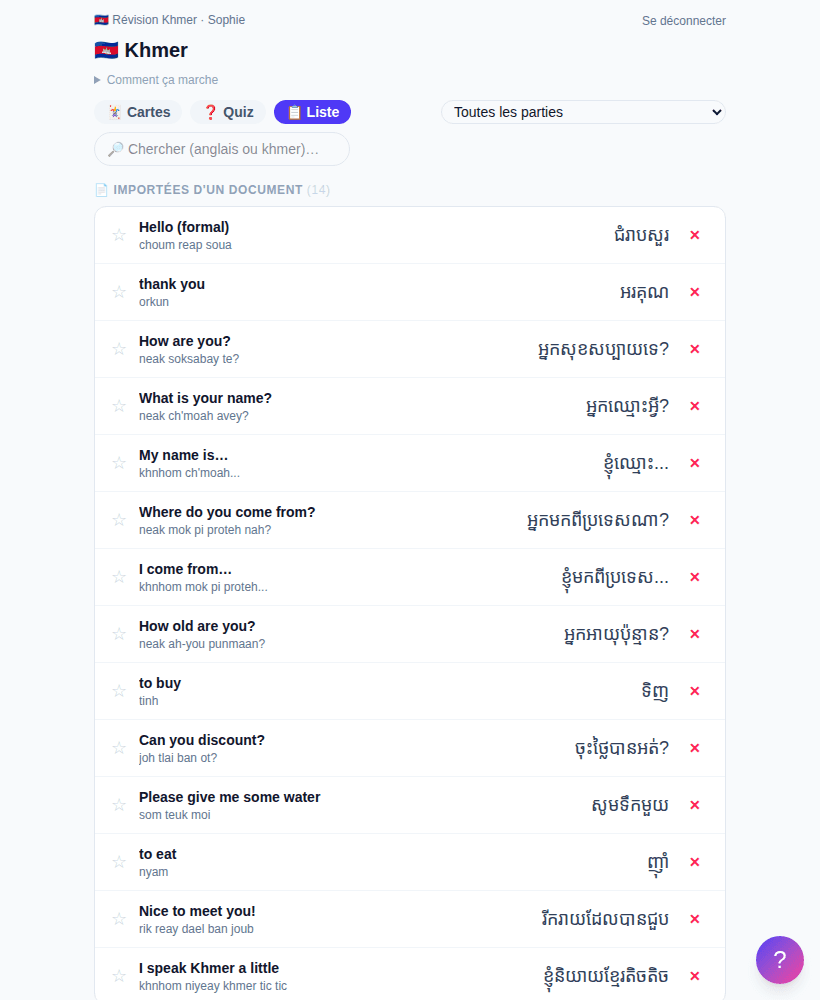
- 📋 List — the whole deck at once, grouped by theme, English + transliteration + Khmer. Perfect to skim before a lesson.
Driving your deck
A growing deck quickly becomes unreadable. These six commands keep it your size.
- ✓ Learned — the card leaves the rotation. The “Learned 12/40” counter shows where you are. A checkbox brings them back whenever you want to check.
- 📦 Archive — for what you set aside without deleting it. Filed under “Archived”, one click to get it back.
- ☆ Useful — the star for the sentences you actually use.
- 🔀 Shuffle — takes the deck order out of your head. We memorise the order before the words; shuffling breaks that effect.
- ➕ Expand — generates 1 to 4 practice sentences around the current card, recombining only the vocabulary you already have. No new word, ever. That is what turns a word list into sentences you can actually say.
- 🗑 Delete — for what has no business being there.
Two filters complete the set: the bilingual search (a single field, it searches the English, the Khmer and both transliterations at the same time) and the sections menu to work on one theme only.
🎙 Your lesson recordings
Plenty of people record their teacher on their phone, then never listen again: the files get lost in the gallery. Drop them here (several at a time, any format), they stay filed under your account with a player next to each one. Your reference voice and your cards in the same place.
Good to know
- The mic works on Chrome (desktop or Android). The app says so clearly if your browser has no speech recognition — everything else works everywhere.
- The Khmer script and the breakdowns are generated automatically. Excellent for revising, and still worth checking with your teacher. When in doubt, the transliteration in your document wins — that is why it is shown first.
- Learned, archived and favourites live in this browser. Your cards and your recordings, on the other hand, are on the server and follow you everywhere. Change device and you find your deck again, then redo your sorting.
- Every account is independent. You start from zero, you build your own deck.
Ready to make your course speak?
Import your document, say your first sentence, listen to yourself.
Create my accountAlready registered? Sign in